Shopify Migration SEO: Keep Your Rankings
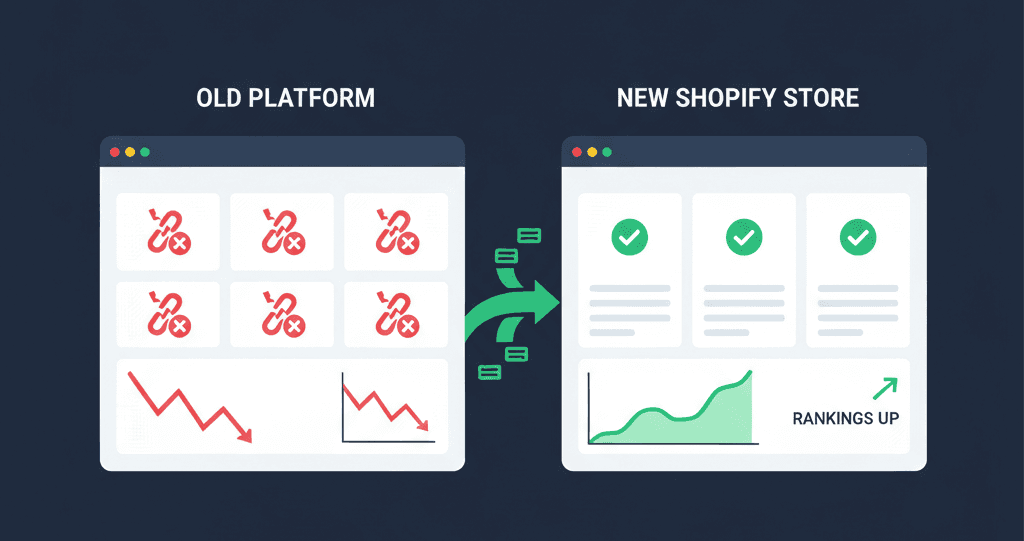
Platform migrations kill SEO rankings. We've seen it happen — and we've stopped it from happening dozens of times.
A store spends three years building organic traffic. Rankings for 50+ keywords. Backlinks from industry publications. A Google position that took 18 months to earn. Then they migrate to Shopify — change their URL structure, forget to set up 301 redirects, lose their structured data — and within 6 weeks their organic traffic drops 60%.
It doesn't have to be this way. Migration-related ranking loss is almost entirely preventable if you follow the right process.
This guide covers exactly what we do when we migrate stores to Shopify — every pre-migration audit step, every technical safeguard, and the post-migration monitoring process that catches problems before Google does.
If you're planning a Shopify migration, read this before you move a single file.
Looking for professional Shopify migration services? Our Shopify migration agency handles full platform migrations with zero data loss and complete SEO preservation. Get a free migration audit →
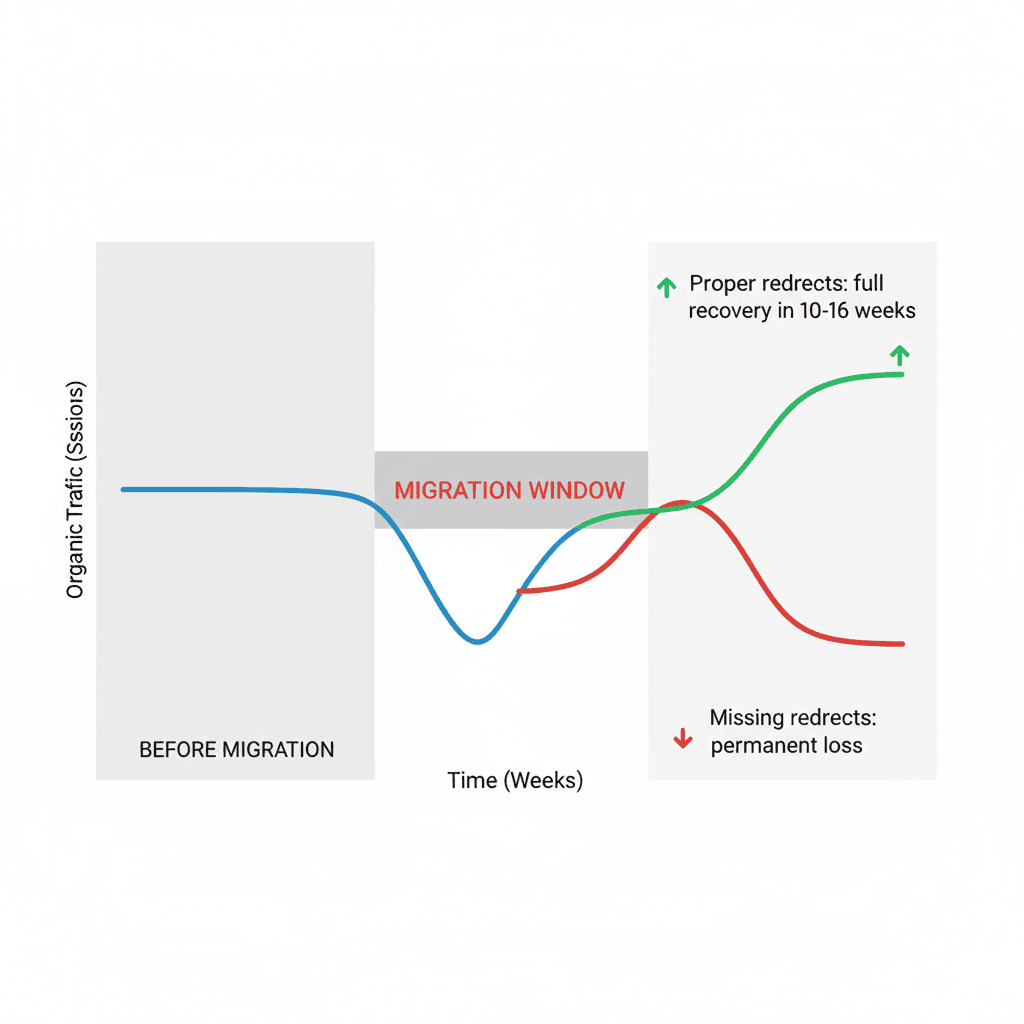 Diagram showing the SEO risk timeline during a platform migration — organic traffic dip during migration, recovery curve, and the "preventable loss zone" that proper redirects and technical setup eliminates
Table of Contents
- Why Migrations Destroy SEO Rankings
- Pre-Migration SEO Audit: What to Capture Before You Touch Anything
- The 4 Technical Mistakes That Kill Rankings During Migration
- Step-by-Step Migration Process That Preserves Rankings
- Post-Migration Monitoring: The 30/60/90 Day Checklist
- Frequently Asked Questions
Why Migrations Destroy SEO Rankings
Google's rankings are built on signals it's collected about your current URLs. When you migrate platforms, you're changing the foundation those signals are attached to.
Here's what breaks:
URLs change. Your WooCommerce store had /product/blue-running-shoes/. Your new Shopify store has /products/blue-running-shoes. That's a different URL — Google treats it as a new page with zero authority, zero backlinks, and zero history. Without a 301 redirect connecting the old URL to the new one, every link pointing to your old product page now goes nowhere.
Internal link structure changes. Platform migrations often completely restructure how pages link to each other. Google uses your internal link structure to understand which pages are most important. Change it without a plan and you're redistributing authority in ways you didn't intend.
Structured data disappears. Your old platform had product schema, review schema, and breadcrumb schema. Shopify uses different theme code — unless your developer specifically rebuilds all schema markup, Google loses the structured data signals it used to rank your rich results.
Page speed changes (sometimes badly). A new Shopify store on a poorly-optimised theme can be slower than your old WooCommerce site. Speed is a ranking factor. A migration that slows your store down is an SEO regression, not just a cosmetic change.
Canonical tags shift. If your migration is set up incorrectly, you might temporarily have both your old site and new Shopify store indexed — Google sees duplicate content and penalises both.
Every one of these is preventable. The key is running a proper audit before you start.
Pre-Migration SEO Audit: What to Capture Before You Touch Anything
Before your developer writes a single line of Shopify code, you need a complete snapshot of your current SEO state. This is your baseline — everything you'll verify is preserved after launch.
Run a full site crawl. Use Screaming Frog (free up to 500 URLs) or Ahrefs Site Audit. Export every URL currently indexed, with their titles, meta descriptions, H1s, canonical tags, and internal link counts. This is your URL inventory.
Export your Google Search Console data. Download your top 500 queries and their associated landing pages. Screenshot or export your Core Web Vitals report. Save your current index coverage report. You'll use all of this to verify nothing dropped post-migration.
Document your backlink profile. Export your backlinks from Ahrefs or Google Search Console. Note which of your URLs have the most external links pointing to them — these are your highest-priority redirect pages. A missed redirect on a page with 50 backlinks is far more damaging than a missed redirect on a page with zero.
Map your URL structure. Document your current URL patterns:
- Product URLs:
/product/[slug]/ - Collection/category URLs:
/category/[slug]/ - Blog post URLs:
/blog/[slug]/ - Static pages:
/about/,/contact/
Shopify has its own fixed URL structure (/products/, /collections/, /blogs/, /pages/). Every difference between your current structure and Shopify's structure becomes a redirect you need to implement.
Don't have time to run this audit yourself? Request a free Shopify migration audit and we'll do it for you, including a full URL mapping spreadsheet.
The 4 Technical Mistakes That Kill Rankings During Migration
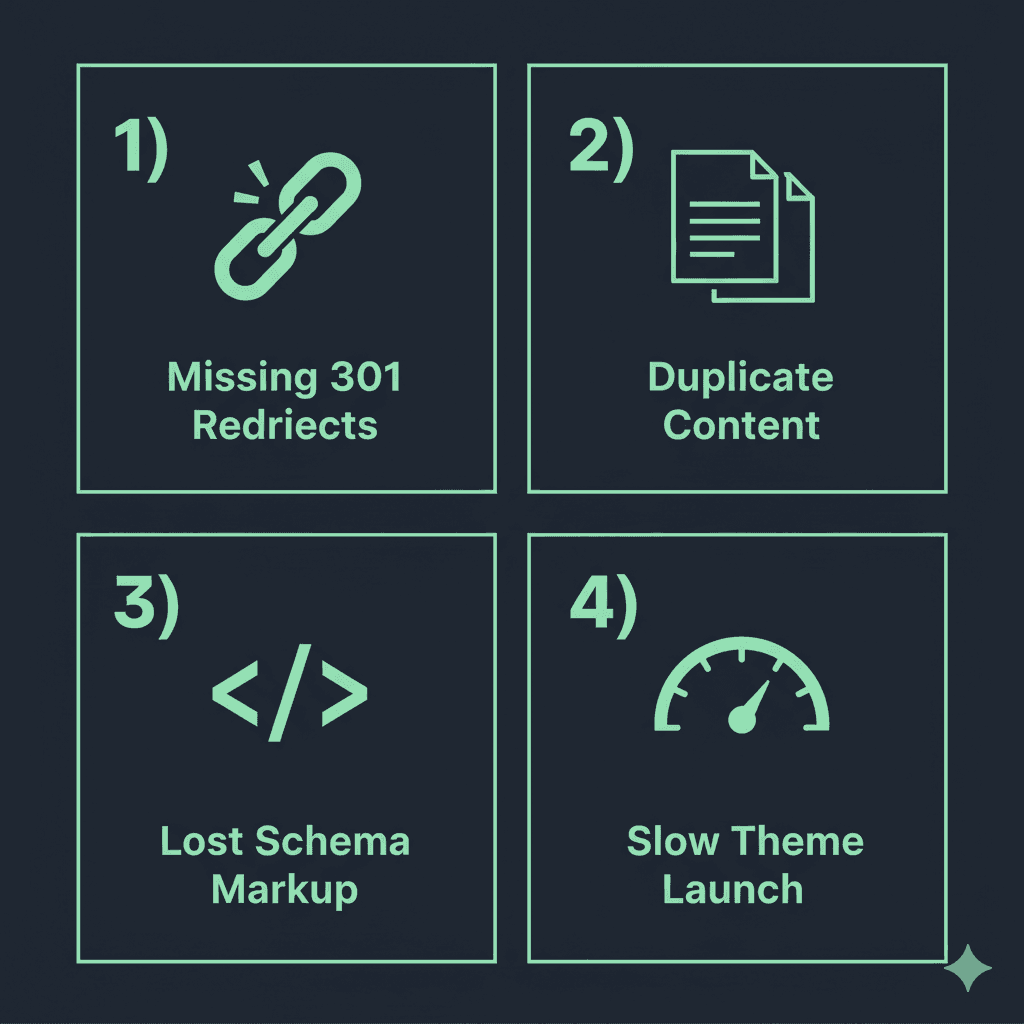 Infographic showing the 4 most common Shopify migration SEO mistakes: missing 301 redirects, duplicate content during launch, lost structured data, and unoptimised page speed on new theme
Mistake 1: Missing or Incorrect 301 Redirects
This is responsible for more post-migration ranking losses than everything else combined.
A 301 redirect tells Google: "This page has permanently moved to this new URL. Transfer all the SEO authority to the new location." Without it, Google treats your new Shopify URLs as brand new pages with no history.
The correct redirect setup for Shopify:
Shopify has a built-in URL redirects tool (Admin → Online Store → Navigation → URL Redirects). For migrations with hundreds of URLs, you can bulk-upload redirects via a CSV file.
Every URL that exists on your old platform and has a different URL on Shopify needs a redirect. This includes:
- Every product page
- Every collection/category page
- Every blog post
- Every static page
- Your homepage (if the domain is changing)
Common error: Redirecting old product URLs to the Shopify homepage instead of the new product URL. This is better than a 404, but Google still won't transfer authority to the specific product page.
Mistake 2: Running Both Sites Simultaneously Without Canonical Tags
Some agencies run the old site and new Shopify store at the same time during migration — the old site stays live while the new one is being tested. If both sites are accessible with the same content, Google sees duplicate content.
The fix: While your new Shopify store is in testing, use Shopify's password protection feature to keep it from being indexed. Only remove the password and switch DNS after your redirects are fully configured and tested.
Mistake 3: Losing Structured Data (Schema Markup)
If your old platform had product schema, review schema, FAQ schema, or breadcrumb schema, these don't automatically transfer to Shopify. They need to be rebuilt in your new theme.
Shopify themes include basic product schema by default, but:
- Review schema requires a reviews app that supports schema output (Judge.me, Okendo, Yotpo)
- FAQ schema needs to be manually added to relevant pages
- Breadcrumb schema needs to be confirmed in your specific theme
Run your old site's key pages through Google's Rich Results Test before migration. Run the same pages on your new Shopify store after migration. Compare. Every schema type that disappears is a rich result you'll lose.
Mistake 4: Launching on a Slow Theme
Many businesses choose a visually impressive Shopify theme without checking its PageSpeed score. If your new theme loads slower than your old site, you've taken a ranking hit on every page.
Before committing to a theme, test it on PageSpeed Insights (use the Shopify theme demo URL). Anything below 60 on mobile is a red flag. We won't build on a theme that scores below 70 on a clean install — because optimising a fundamentally heavy theme is harder than choosing the right one from the start.
Step-by-Step Migration Process That Preserves Rankings
Here's the exact sequence we follow for every Shopify migration:
Step 1: Complete the pre-migration audit (Week 1)
- Crawl old site, export all URLs
- Export GSC data and backlink profile
- Build URL mapping spreadsheet: old URL → new Shopify URL
- Document all schema markup types currently in use
Step 2: Build and test on a password-protected Shopify store (Weeks 1–4)
- Install theme, configure store
- Upload products, collections, blog posts
- Verify all schema is rebuilt (product, review, FAQ, breadcrumb)
- Set up all payment gateways and shipping
- Upload redirect CSV — all old URLs → new Shopify URLs
Step 3: Pre-launch SEO verification (Week 4)
- Crawl the new Shopify store (still password protected) — verify no broken internal links
- Test every redirect in the CSV: does old URL → new URL correctly?
- Run top 10 pages through Rich Results Test — verify schema is intact
- Run homepage and key product pages through PageSpeed Insights — baseline score recorded
Step 4: Launch and DNS switch (Launch day)
- Remove Shopify password protection
- Update DNS to point to Shopify
- Submit new sitemap to Google Search Console
- Add new Shopify property to GSC (if domain changed)
- Use GSC's URL Inspection tool to request indexing for your top 20 pages
Step 5: Post-launch monitoring (Weeks 5–16)
- Day 1–7: Monitor GSC for crawl errors and 404s
- Week 2: Check index coverage — are new Shopify URLs being indexed?
- Week 4: Compare search performance to pre-migration baseline
- Week 8: Full ranking comparison for top 50 keywords
- Week 12–16: Full organic traffic recovery expected (if redirects were done correctly)
Post-Migration Monitoring: The 30/60/90 Day Checklist
Don't assume a clean launch means everything is fine. Rankings can drop 2–6 weeks after migration as Google processes the changes. Here's what to check:
30 days post-launch:
- GSC Index Coverage: Are all your product and collection pages indexed?
- GSC Core Web Vitals: Have your scores changed?
- 404 errors: Any unexpected broken pages?
- Top 20 keyword positions: Still where they were?
60 days post-launch:
- Organic traffic comparison: Are you within 10% of pre-migration traffic?
- Backlink audit: Are your most important backlinks now resolving to the correct Shopify URLs?
- Rich results: Are product schema and review schema still showing in search results?
90 days post-launch:
- Full keyword ranking audit: Compare top 100 keywords pre vs post migration
- Traffic by landing page: Are your top pre-migration pages still generating traffic?
- Conversion rate: Has organic traffic quality changed?
If organic traffic hasn't recovered to 90%+ of pre-migration levels by 90 days, there's a specific technical issue — usually a batch of redirects that weren't set up correctly or an indexation problem. This is diagnosable and fixable; it's not a permanent loss.
Frequently Asked Questions
How long does SEO recovery take after a Shopify migration?
If your redirects are correctly set up and there are no technical issues, most stores see rankings stabilise within 4–8 weeks and return to pre-migration levels within 10–16 weeks. The recovery timeline depends heavily on how many URLs changed and whether Google has fully re-crawled and processed the new site. Stores with incomplete redirects or lost schema often see longer recovery times — or never fully recover without fixing the underlying issues.
Does migrating to Shopify hurt SEO?
Not inherently — Shopify is a fully capable SEO platform. The ranking drops that people associate with "migrating to Shopify" are almost always caused by technical migration errors (missing redirects, lost schema, duplicate content), not by Shopify itself. A properly executed migration should have minimal SEO impact beyond a brief period of Google processing the changes.
Can I migrate from WooCommerce to Shopify without losing my Google rankings?
Yes — but it requires a proper URL mapping and redirect setup before launch. The critical step is ensuring every WooCommerce URL that has ranking value (backlinks, GSC impressions, internal links) has a 301 redirect pointing to its Shopify equivalent. If you do this correctly, Google transfers the accumulated authority to your new Shopify URLs within a few weeks of reindexing.
What's the biggest migration SEO mistake you see?
Missing redirects on product pages that have backlinks. Most store owners focus on their homepage and main category pages — but it's often product pages with press coverage or supplier directory links that have the most link equity. When those redirect to a generic 404, the authority is permanently lost. Always prioritise your backlink profile when deciding which redirects to spend the most time on.
Don't Let Your Rankings Become a Migration Casualty
A Shopify migration done right is invisible to Google — rankings hold, traffic continues, the store loads faster, and you gain access to Shopify's ecosystem without paying an SEO penalty.
A migration done wrong takes 6–12 months to recover from, and some stores never get back to where they were.
We've run Shopify migrations for stores across the USA, UK, UAE, and Saudi Arabia. The process above is exactly what we follow on every project — not optional extras, but standard practice.
We'll audit your current site, map your URLs, flag the highest-risk redirects, and give you a clear migration plan before a single page moves. See our full Shopify development services if you'd like us to handle the entire migration.
Alex Sterling
Senior Shopify Developer
Expert in web development, digital marketing, and helping businesses grow their online presence.