Shopify Speed Optimization: Score 48 to 94
Is your Shopify store losing sales right now — without you knowing it?
Here's the uncomfortable truth: if your store takes more than 3 seconds to load on mobile, more than half your visitors are already gone. They didn't see a bad product. They didn't read a bad review. They just got tired of waiting.
A 1-second delay in load time reduces conversions by 7%. For a store doing $50K/month, that's $3,500 leaking out every single month — silently, automatically, invisibly.
Last year, a fashion accessories brand came to us with exactly this problem. PageSpeed score of 48. Bounce rate of 68%. Ad spend going up. Revenue flat. They'd already tried a "speed booster" app from the Shopify App Store. It made things worse.
We fixed it in three weeks. The store now scores 94 on mobile. Bounce rate is 41%. Conversion rate jumped from 1.1% to 1.8% — a 64% increase — without changing a single product, price, or ad.
This post documents everything we did. Every problem. Every fix. Every number.
If your store is slow, this is your roadmap.
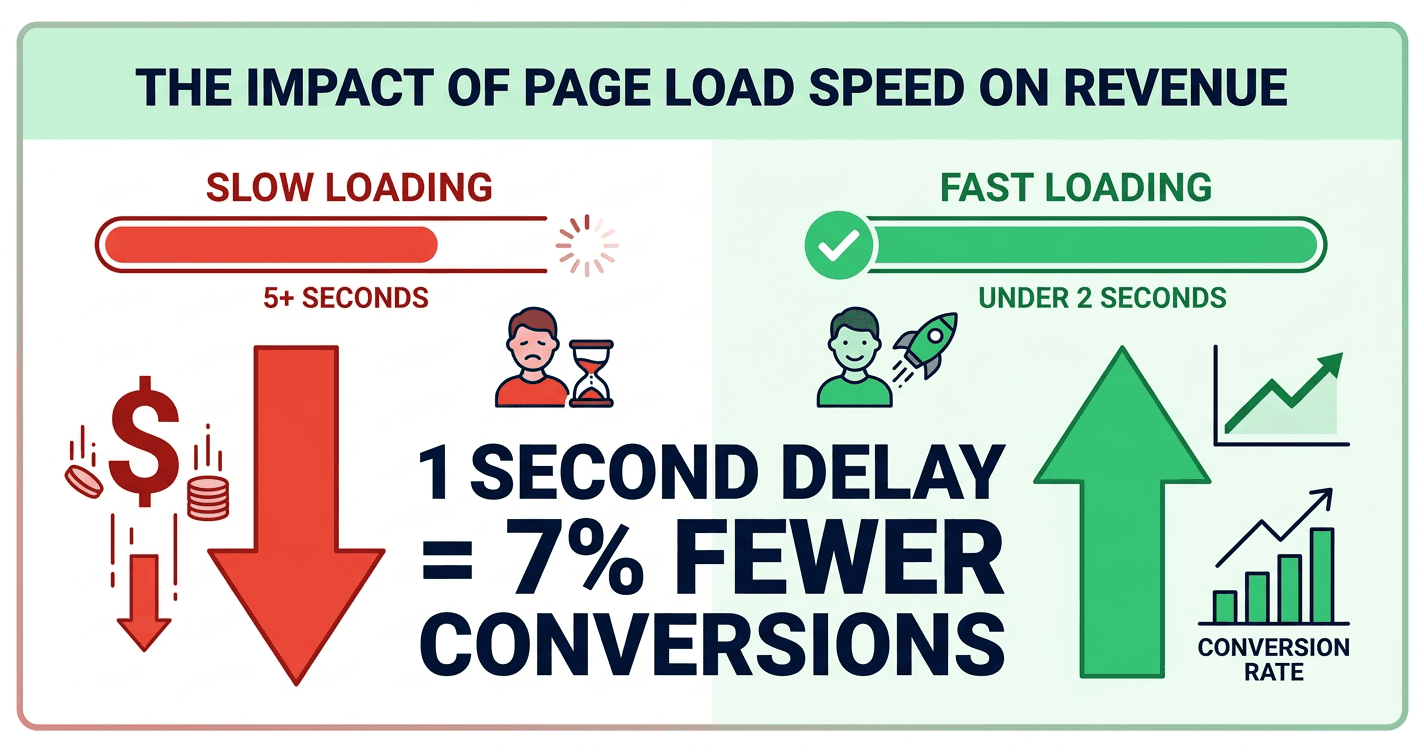 Infographic showing how a slow Shopify store directly impacts revenue — a 1-second delay reduces conversions by 7%, visualised as money leaking from a storefront
Table of Contents
- Is Your Store Actually Slow?
- The Starting Point
- What the Audit Found
- The 7 Fixes We Applied
- The Results
- Key Takeaways
- Frequently Asked Questions
Is Your Store Actually Slow? (Check This First)
Before anything else, open a new tab and go to PageSpeed Insights (search it — it's Google's free tool). Enter your Shopify store URL and run the test on Mobile.
Here's how to read your score:
| Score | What It Means | Revenue Impact |
|---|---|---|
| 90–100 | Fast — Google rewards you | Maximum conversions |
| 50–89 | Average — you're losing some | Moderate revenue leak |
| 0–49 | Slow — Google penalises you | Significant revenue lost daily |
Got your score? Keep it in mind — by the end of this post, you'll know exactly which of the fixes below applies to your store.
Scored below 70? Request a free Shopify speed audit and we'll tell you exactly what's dragging your score down.
The Starting Point
The client ran a mid-sized fashion accessories store on Shopify. When they came to us:
- Customised Shopify Dawn theme (Shopify 2.0)
- 11 installed apps — reviews, loyalty points, live chat, currency switcher, upsell popups, and more
- 40+ product images uploaded as full-resolution JPEGs straight from a camera
- Custom font loaded from Google Fonts, no optimisation
- Zero image compression workflow — whatever the photographer sent, went live
Sound familiar? This is the default state of most Shopify stores that have been running for 1–2 years. Apps accumulate. Images pile up. Nobody optimises because everything technically "works."
Until you check PageSpeed.
| Device | PageSpeed Score | Verdict |
|---|---|---|
| Mobile | 48 / 100 | Poor — actively penalised by Google |
| Desktop | 61 / 100 | Needs Improvement |
And their Core Web Vitals — the specific metrics Google uses as a ranking factor:
| Metric | Before | Google's Pass Mark | Status |
|---|---|---|---|
| LCP (Largest Contentful Paint) | 5.8s | ≤ 2.5s | Fail |
| INP (Interaction to Next Paint) | 280ms | ≤ 200ms | Needs Work |
| CLS (Cumulative Layout Shift) | 0.31 | ≤ 0.10 | Fail |
| TTFB (Time to First Byte) | 1.4s | ≤ 0.8s | Needs Work |
Three out of four Core Web Vitals failing. The store was being penalised in search rankings and losing shoppers the moment a page started loading.
What the Audit Found
Before touching a single line of code, we ran a complete technical audit. Six root causes explained almost everything.
Check each one against your own store as you read:
1. Unoptimised hero image. The homepage hero was a 2.3 MB JPEG — no WebP, no responsive sizing, served identically on a phone and a 4K monitor. This one file caused most of the LCP delay.
2. Render-blocking third-party scripts. Three apps injected JavaScript into <head>: live chat, reviews, and loyalty programme. All three loaded synchronously — the browser had to fully download, parse, and execute their scripts before it could render a single pixel on screen.
3. Unused CSS. The Dawn theme ships ~180KB of CSS. Around 60% was unused on the homepage. Every visitor was downloading 108KB of styles that did nothing.
4. No font-display: swap. When the custom Google Font took 400ms to load, the browser hid all text until it arrived. That invisible-then-sudden-jump is what causes the CLS score of 0.31 — and why visitors see content visibly jumping on load.
5. Shopify CDN image transformations unused. Shopify can automatically resize and convert images to WebP via URL parameters. Every single product and collection image was being served at full uploaded resolution.
6. App bloat. 11 apps installed. 5 unused for 6+ months — but their scripts still loaded on every page visit.
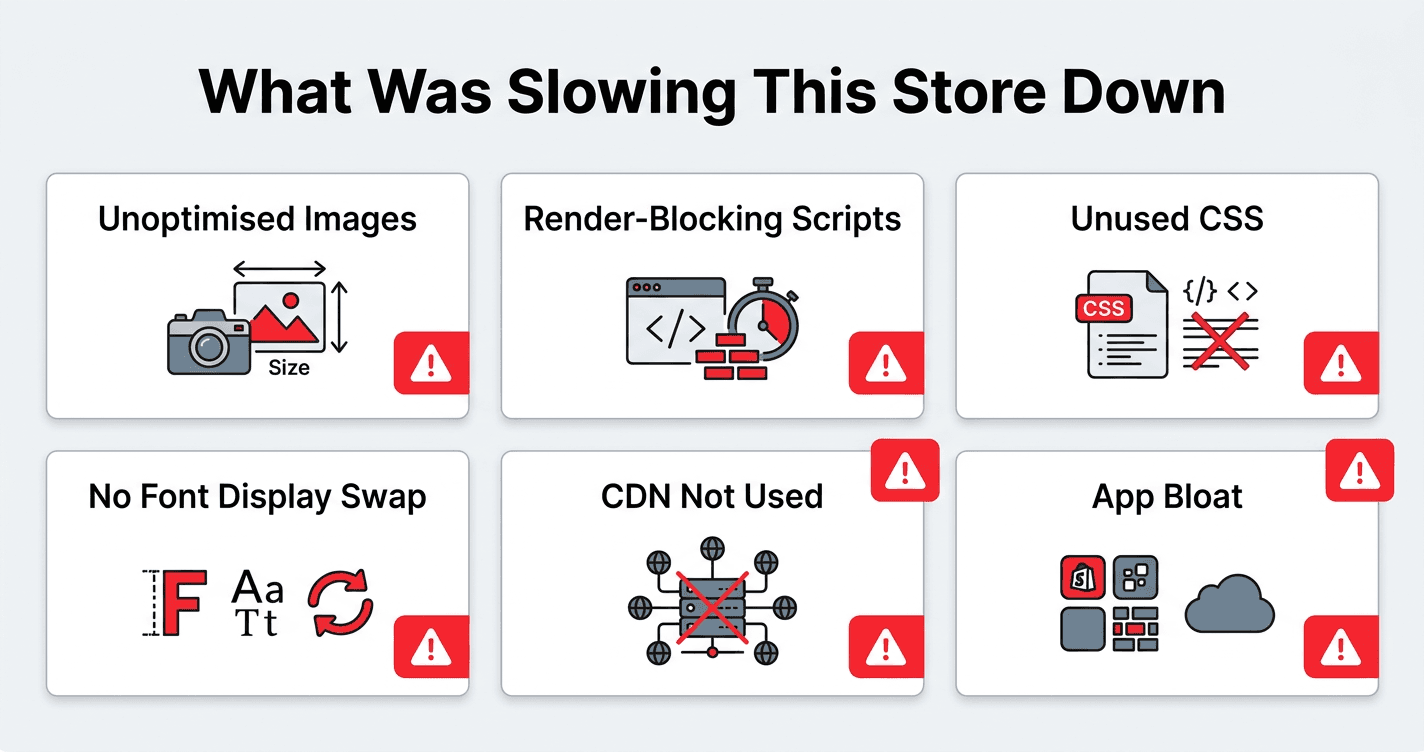 Diagram showing 6 root causes of poor Shopify store performance: unoptimised images, render-blocking scripts, unused CSS, missing font-display swap, unused CDN transforms, and app bloat
How many of these apply to your store? If it's 3 or more, your score is almost certainly below 70. Get a free audit and we'll confirm it with data.
The 7 Fixes We Applied
Fix 1: Hero Image Optimisation
The problem: 2.3 MB JPEG hero image — same file served on every device.
What we did:
- Converted the hero to WebP format (80% smaller than JPEG at equivalent quality)
- Added
loading="eager"andfetchpriority="high"— telling the browser to treat this as the most critical asset on the page - Implemented a
srcsetwith three sizes: 600w (mobile), 1200w (tablet), 1920w (desktop) - Added explicit
widthandheightto reserve space before the image loads, eliminating layout shift
The result: Hero image went from 2.3 MB → 84 KB. LCP improved by 2.1 seconds on mobile alone.
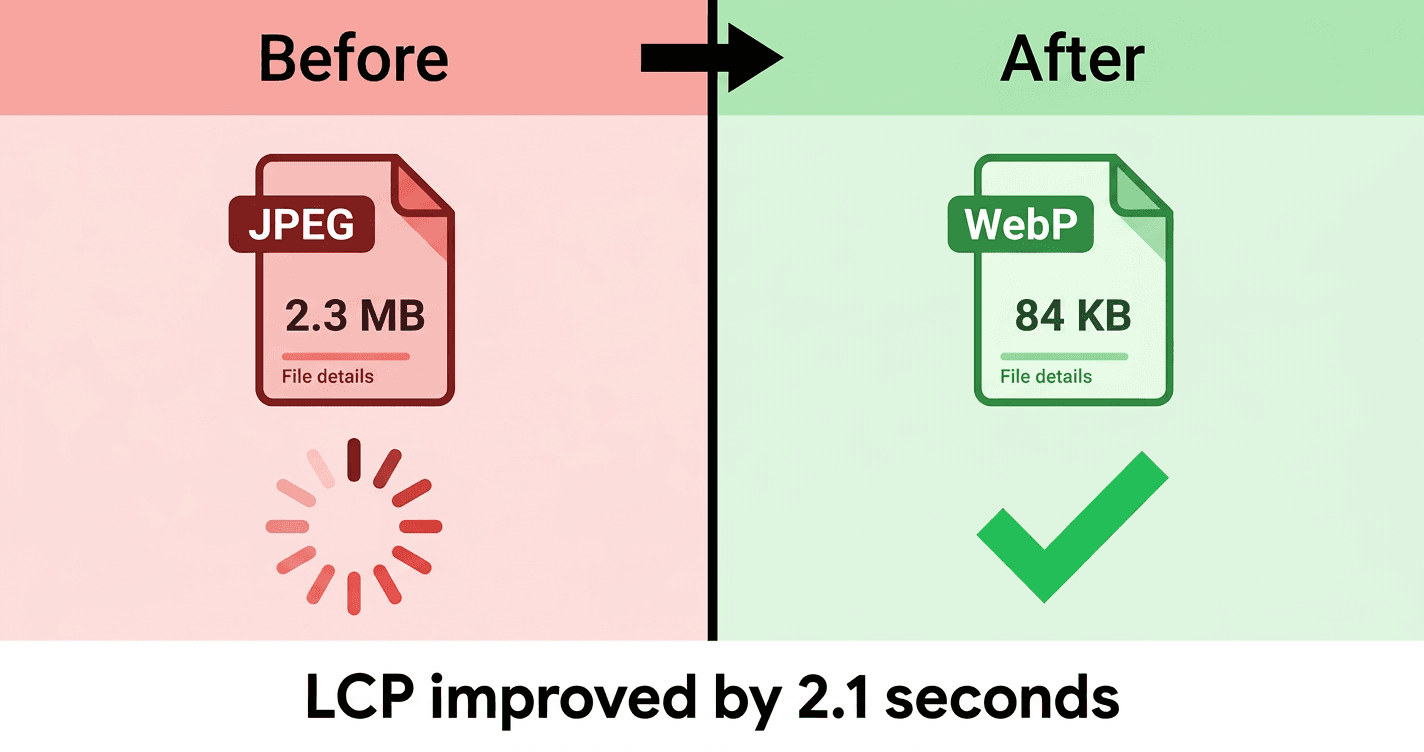 Side-by-side comparison of a Shopify hero image before and after optimisation — left side shows a heavy 2.3MB JPEG loading slowly, right side shows the same image as an 84KB WebP loading instantly
Fix 2: Defer Non-Critical App Scripts
The problem: Three app scripts blocking page render from <head>.
What we did:
- Added
deferto all non-critical app scripts — they now load after the page is already rendered - Configured the live chat widget to load only after the user scrolled or moved their cursor. No visitor needs live chat in the first 0.5 seconds
- Removed one app entirely — it had been disabled in Shopify admin, but its script tag was still sitting in the theme
The result: 340 KB of JavaScript removed from the critical render path. First Contentful Paint improved by 1.3 seconds.
Fix 3: Scope and Reduce Unused CSS
The problem: 180KB CSS bundle, ~60% doing nothing on any given page.
What we did:
- Moved app-specific CSS to conditional loading — product page styles only load on product pages, cart styles only on the cart
- Added
<link rel="preload">for the critical stylesheet so the browser fetches it at highest priority - Removed stylesheet injections from two deactivated apps
The result: CSS payload dropped 58% on the homepage.
Fix 4: Font Display Swap
The problem: Custom font loading without font-display: swap — text invisible during load, then jumping when the font arrived.
What we did:
- Added
font-display: swapto all@font-facedeclarations. The browser now shows a system font immediately, then quietly swaps in the custom font when it's ready - Added
<link rel="preload">for the primary.woff2font file in<head> - Added
<link rel="preconnect">tofonts.gstatic.comto cut DNS resolution time
The result: CLS dropped from 0.31 → 0.08 — passing the Core Web Vitals threshold. Text is visible from the very first frame.
Fix 5: Shopify CDN Image Transformations
The problem: Every product and collection image served at full uploaded resolution.
What we did:
Shopify's CDN supports automatic resizing and WebP conversion via URL parameters. We updated every image reference in the theme from:
https://cdn.shopify.com/s/files/1/xxxx/files/product.jpg
To:
https://cdn.shopify.com/s/files/1/xxxx/files/product.jpg?width=800&format=webp
Three responsive breakpoints across all templates:
- Mobile (< 768px):
width=400 - Tablet (768–1200px):
width=800 - Desktop (> 1200px):
width=1200
The result: 65% reduction in image bytes delivered to mobile visitors. Product pages now serve thumbnails at the exact right size for the device.
Fix 6: Remove Unused Apps
The problem: 11 apps installed, 5 unused — all still injecting scripts on every page.
What we did:
- Audited every app against Shopify analytics and app-specific usage dashboards
- Uninstalled 5 apps with zero usage in 90+ days
- Replaced 2 remaining heavy apps with lighter alternatives
The result: ~280 KB of JavaScript and CSS eliminated from every page load. First Contentful Paint dropped a further 0.9 seconds.
This is the most overlooked Shopify performance issue. Every installed app adds weight — even if you "turn it off" in settings. The only way to stop an app loading its scripts is to fully uninstall it.
Ask yourself: How many apps do you have installed that you haven't actively used in the last 3 months? Each one is taxing every visitor who lands on your store.
Fix 7: Enable Shopify's Built-in Performance Features
The problem: Several native Shopify performance features were disabled or not configured.
What we did:
- Added
loading="lazy"to all below-the-fold images — the browser only downloads them as they scroll into view - Added
<link rel="preconnect">for all third-party origins (Google Fonts, analytics, CDN domains) - Enabled native lazy loading in the theme customiser
- Set explicit
widthandheighton all image tags to prevent layout shifts
The result: These changes addressed the remaining CLS issues and pushed the score into the 90s.
The Results
Three weeks. Seven fixes. Here's where the store landed:
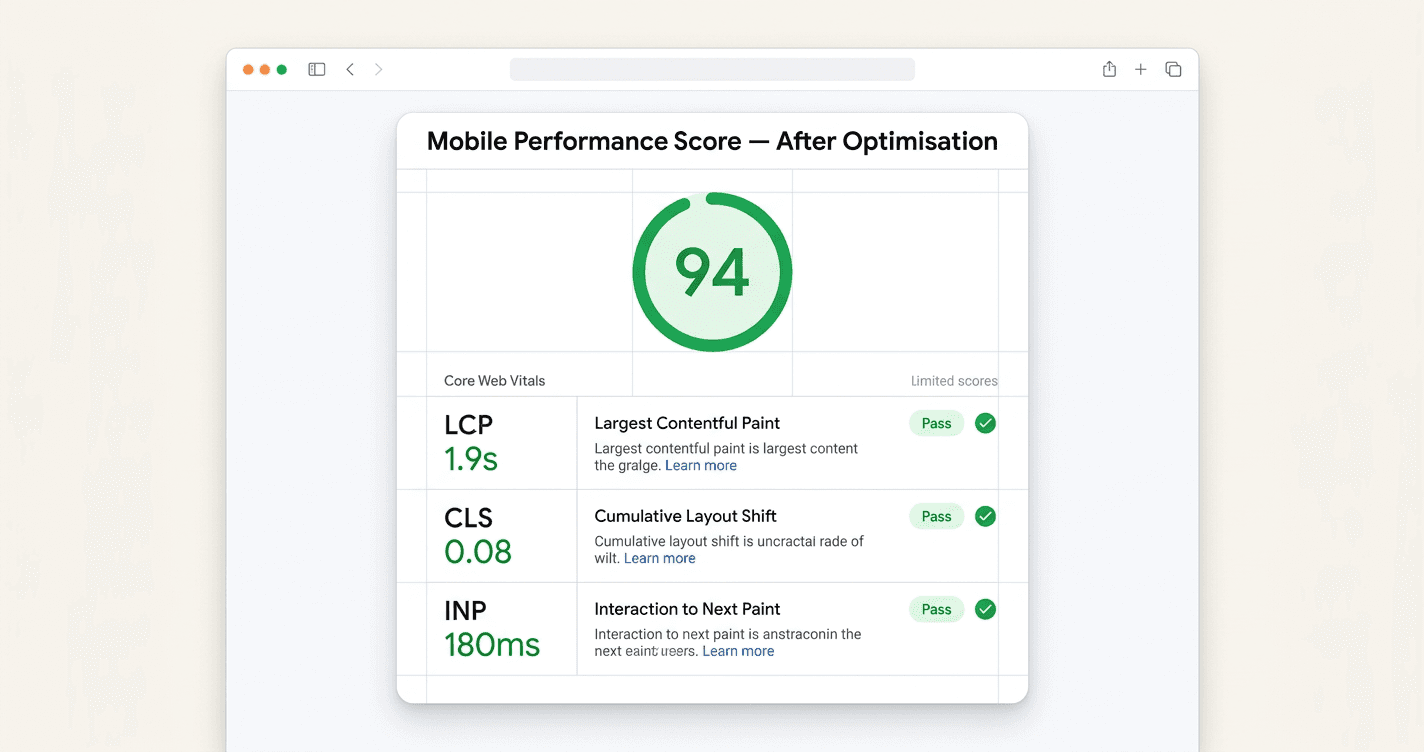 Screenshot-style illustration of a PageSpeed Insights result showing a Shopify store scoring 94 on mobile — green score circle, all Core Web Vitals passing with green checkmarks
| Metric | Before | After | Change |
|---|---|---|---|
| PageSpeed Score (Mobile) | 48 | 94 | +46 pts |
| PageSpeed Score (Desktop) | 61 | 98 | +37 pts |
| LCP (Mobile) | 5.8s | 1.9s | −67% |
| CLS | 0.31 | 0.08 | −74% |
| Bounce Rate | 68% | 41% | −27 pp |
| Conversion Rate | 1.1% | 1.8% | +64% |
All three Core Web Vitals passed. Google stopped penalising the store. And the 64% conversion rate increase came from zero design changes, zero new products, zero extra ad spend. Just speed.
The store was already good enough to convert — it just wasn't loading fast enough to let visitors find out.
Key Takeaways
Use this as a checklist. Open your store in PageSpeed Insights and work through each one:
✓ Check your hero image first. Look at the "LCP element" in PageSpeed. If it's an image, check its file size in your browser DevTools. Anything above 200KB on mobile is a problem.
✓ Count your installed apps. Go to your Shopify admin → Apps. How many haven't you actively used in 90 days? Each one is loading scripts on every page. Uninstall — don't just disable.
✓ Check for layout shift. Load your homepage on a phone and watch. If text or images jump around as the page loads, your CLS is failing. The fix is usually fonts or image dimensions.
✓ Look at your font loading. If you're using Google Fonts or a custom font, check your theme code for font-display: swap. If it's not there, your text is invisible during load.
✓ Check if your images use Shopify's CDN width parameters. Inspect any product image in your browser. If the URL has no ?width= parameter, you're serving full-resolution files to mobile visitors.
✓ "Speed booster" apps don't work. They inject their own JavaScript to solve a JavaScript problem. Address root causes instead of patching symptoms.
Frequently Asked Questions
Does Shopify page speed actually affect my Google rankings?
Yes — directly. Google uses Core Web Vitals as a ranking factor under its Page Experience signal. Stores failing LCP and CLS rank lower than technically equivalent stores that pass. Beyond rankings, Google's own research shows a 1–3 second load time increases bounce probability by 32%. Faster stores rank higher and convert more from the same traffic.
My store scored below 50. How bad is that, really?
It means Google is actively deprioritising your store in search results and more than half your mobile visitors are likely bouncing before the page fully loads. A score below 50 is a revenue problem, not just a technical metric. It's worth fixing urgently.
How long does a Shopify speed optimisation project take?
For most stores: 2–4 weeks. The audit takes 2–3 days. Implementation and testing takes the rest. We test on real devices — not just PageSpeed scores — before signing off.
Can I do any of this myself?
Yes — some of it. Uninstalling unused apps and enabling lazy loading in the Shopify theme customiser are things any store owner can do today. The technical fixes — modifying Liquid templates, deferring scripts, implementing CDN transforms — require Shopify theme development experience. Done wrong, they can break product images or checkout flows.
Will this affect how my store looks?
Not visibly. Every fix we described is invisible to shoppers — they only affect how fast assets load, not what they see. The only difference visitors notice is that the store loads faster and nothing jumps around.
Your Store Is Probably Losing Revenue Right Now
Run the PageSpeed test. If your mobile score is below 70 — and for most Shopify stores that have been live for a year or more, it will be — you're leaving money on the table with every visitor.
We've run speed audits on dozens of Shopify stores across fashion, home goods, electronics, and health. The problems are almost always the same six. The fixes are the same seven. The results follow.
Get a free Shopify speed audit →
We'll audit your store, tell you exactly what's dragging your score down, and give you a prioritised fix list. No obligation. Explore our full Shopify development services if you'd like us to handle the implementation too.
Alex Sterling
Senior Tech Lead
Expert in web development, digital marketing, and helping businesses grow their online presence.