Web Development Cost 2026: Real Price Breakdown
Did you know that 75% of users judge a company's credibility based on its website design? Yet most businesses struggle to understand what they should actually pay for web development in 2026.
If you're planning a new website or web application, you've probably seen quotes ranging from $500 to $500,000—and wondered why the difference is so massive. The truth is, web development cost depends on dozens of factors, and understanding them can save you thousands of dollars while ensuring you get exactly what your business needs.
In this comprehensive guide, we'll break down everything you need to know about web development pricing in 2026, including:
- Real cost ranges for every type of project
- What factors actually affect your final price
- How to choose between freelancers, agencies, and offshore teams
- Money-saving tips without sacrificing quality
Let's dive in.
Table of Contents
- Quick Web Development Cost Overview
- Cost Breakdown by Website Type
- Factors That Affect Web Development Cost
- Freelancer vs. Agency vs. DIY
- Hidden Costs You Should Know About
- How to Reduce Web Development Costs
- Frequently Asked Questions
- Conclusion: Getting the Best Value
Quick Web Development Cost Overview
Here's a quick snapshot of what you can expect to pay in 2026:
| Project Type | US Agency | Offshore Agency | Freelancer |
|---|---|---|---|
| Landing Page | $3,000-$10,000 | $500-$2,000 | $300-$1,500 |
| Business Website (5-10 pages) | $10,000-$50,000 | $2,000-$8,000 | $1,500-$5,000 |
| E-commerce Store | $20,000-$100,000 | $5,000-$20,000 | $3,000-$15,000 |
| Custom Web Application | $50,000-$500,000+ | $15,000-$80,000 | $10,000-$50,000 |
| Enterprise Solution | $100,000-$1M+ | $30,000-$150,000 | Rarely feasible |
Key Insight: Working with an offshore agency like Yaxify can save you 60% or more compared to US-based agencies while maintaining enterprise-quality standards.
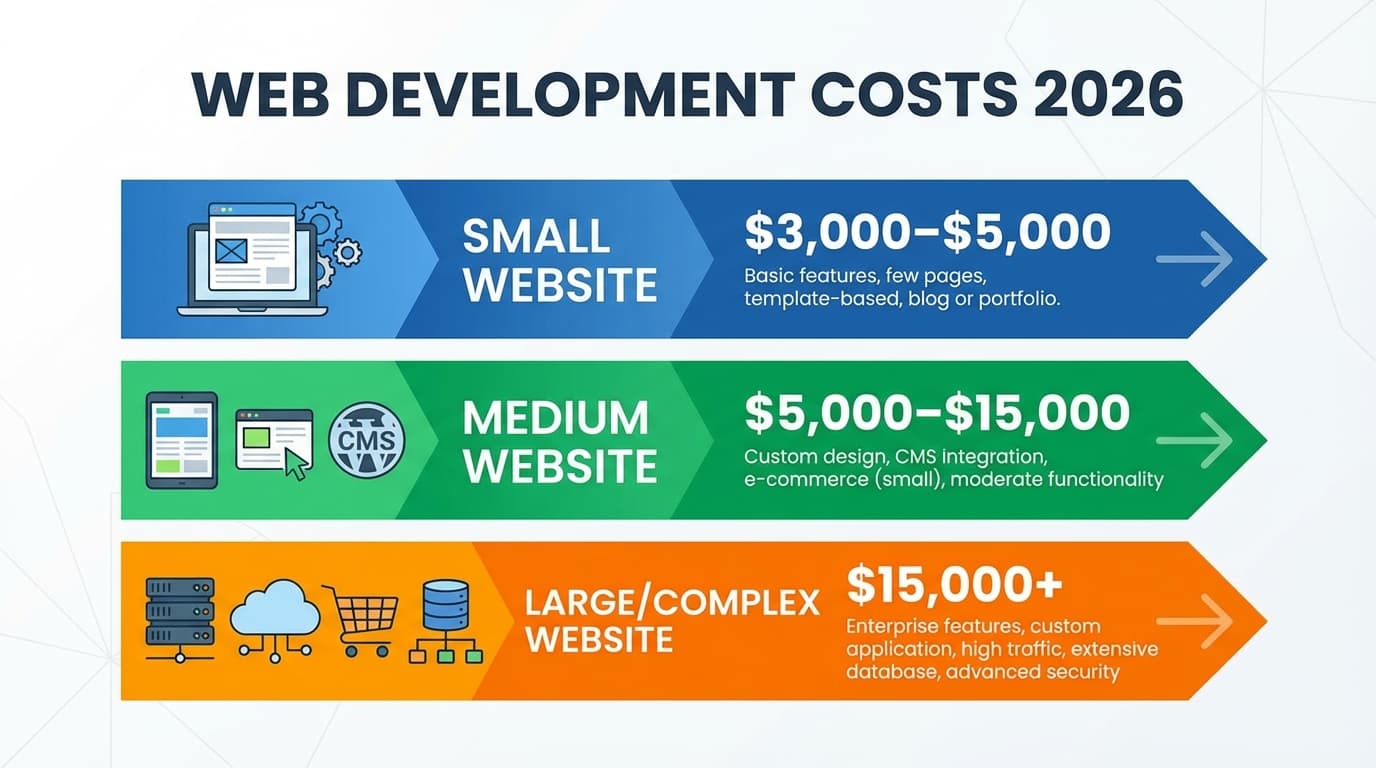 Cost Breakdown Chart
Cost Breakdown by Website Type
Landing Page ($500-$10,000)
A landing page is a single-page website designed to convert visitors into leads or customers. It's perfect for:
- Product launches
- Marketing campaigns
- Lead generation
- Event registration
What affects the price:
- Custom design vs. template
- Animations and interactions
- Form complexity
- Integration requirements (CRM, email marketing)
Average cost: $1,500-$3,000 for a professionally designed, conversion-optimized landing page.
Business Website ($2,000-$50,000)
A standard business website typically includes 5-15 pages such as Home, About, Services, Blog, and Contact. This is what most small to medium businesses need.
What's typically included:
- Responsive design for all devices
- Content management system (CMS)
- Basic SEO optimization
- Contact forms
- Google Analytics integration
Price factors:
- Number of pages
- Custom design vs. template
- Blog functionality
- Multilingual requirements
- Integration with third-party tools
E-commerce Website ($5,000-$100,000)
Online stores vary dramatically in cost based on complexity:
Basic Shopify Store ($3,000-$10,000):
- Theme customization
- Product setup (up to 100 products)
- Payment gateway integration
- Basic shipping configuration
Custom Shopify Development ($10,000-$50,000):
- Custom theme from scratch
- Advanced product filtering
- Custom checkout flow
- Third-party integrations
- Subscription functionality
Enterprise E-commerce ($50,000-$100,000+):
- Multi-vendor marketplace
- Complex inventory management
- Custom ERP integration
- Multiple warehouses
- Advanced analytics
Custom Web Application ($15,000-$500,000+)
Web applications like SaaS products, dashboards, or internal tools require the most investment:
What makes web apps expensive:
- User authentication and roles
- Database design and management
- API development
- Real-time features
- Third-party integrations
- Security requirements
- Scalability needs
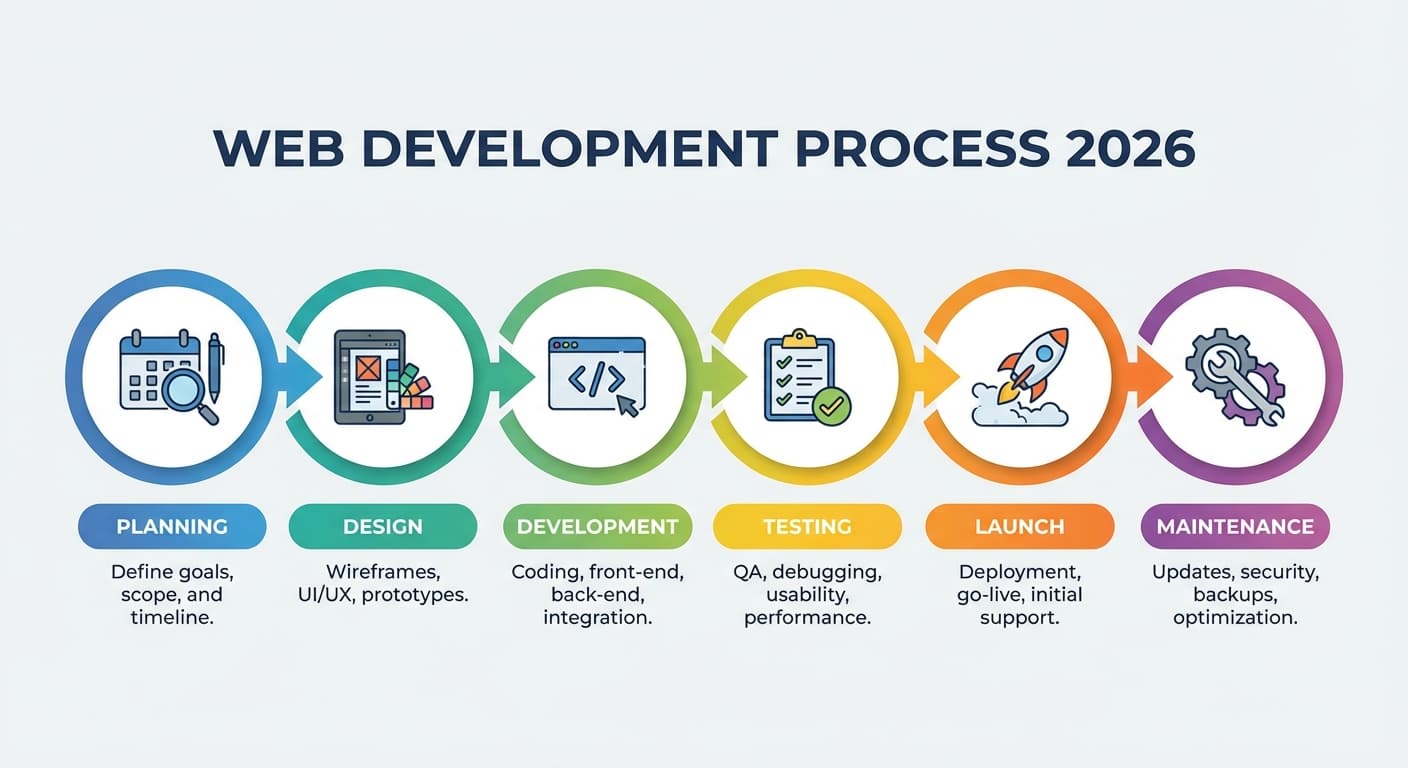 Web Development Process Diagram
Factors That Affect Web Development Cost
Understanding these factors will help you communicate better with developers and get accurate quotes.
1. Design Complexity
| Design Level | Description | Cost Impact |
|---|---|---|
| Template-based | Pre-made design with minor tweaks | -50% to -70% |
| Custom Standard | Unique design, standard layouts | Baseline |
| Premium Custom | Complex animations, micro-interactions | +30% to +100% |
| Award-winning | Agency-level creativity, cutting-edge | +100% to +300% |
2. Technology Stack
Modern websites use various technologies, and your choice affects cost:
Frontend Frameworks:
- WordPress: Lower cost, faster development
- React/Next.js: Higher initial cost, better performance
- Vue.js: Middle ground
Backend Technologies:
- Node.js: Great for real-time apps
- Python/Django: Excellent for data-heavy applications
- PHP/Laravel: Cost-effective for traditional websites
3. Features and Functionality
Each feature adds to development time and cost:
- User authentication: $1,000-$5,000
- Payment integration: $1,500-$10,000
- Search functionality: $500-$5,000
- Real-time features: $3,000-$20,000
- Admin dashboard: $5,000-$30,000
- API development: $5,000-$50,000
4. Content Requirements
- Copywriting: $50-$500 per page
- Stock images: $10-$100 per image
- Custom photography: $500-$5,000
- Video production: $1,000-$20,000
- Illustrations: $200-$2,000 per piece
5. Timeline Urgency
| Timeline | Cost Impact |
|---|---|
| Standard (8-12 weeks) | Baseline |
| Accelerated (4-6 weeks) | +25% to +50% |
| Rush (2-3 weeks) | +50% to +100% |
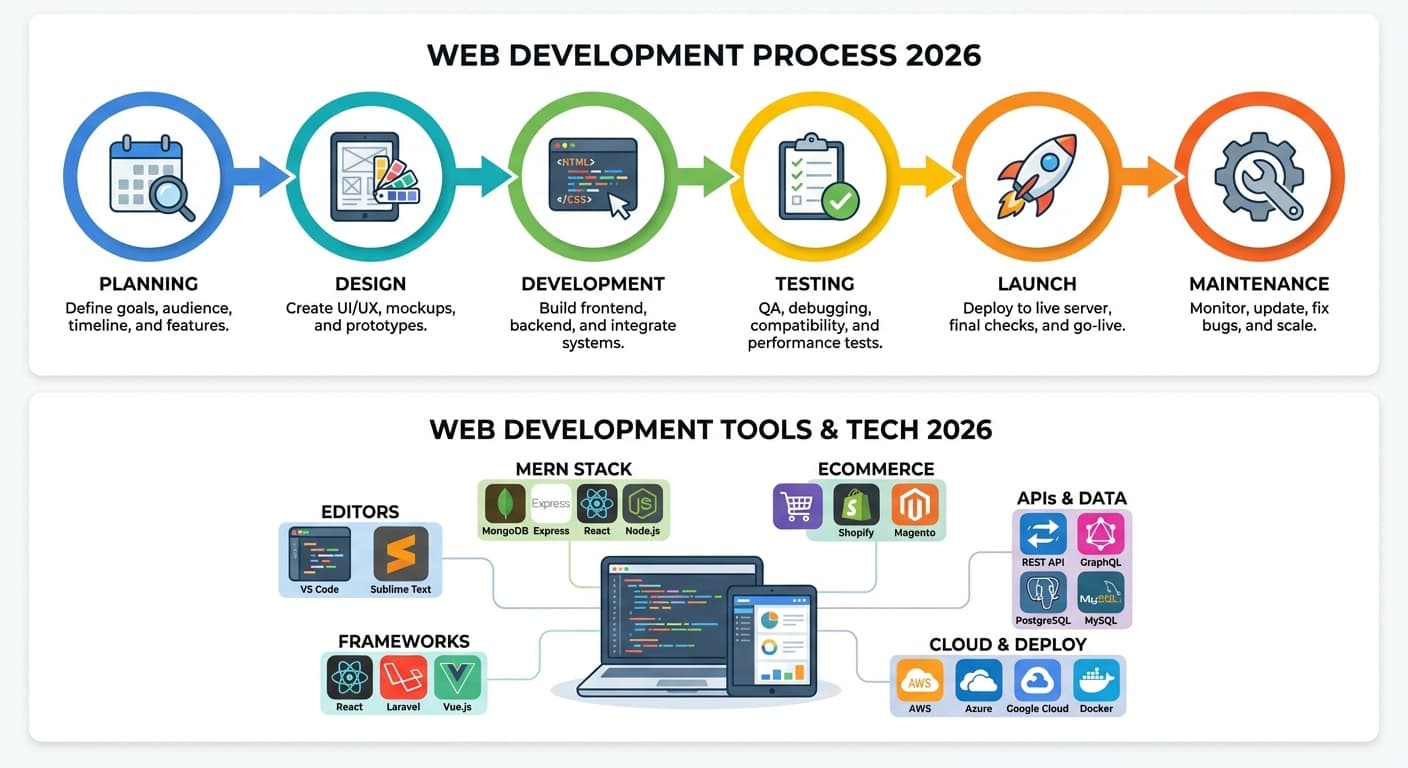 Tools Technology Illustration
Freelancer vs. Agency vs. DIY
Choosing the right development partner is just as important as budgeting correctly.
DIY Website Builders
Platforms: Wix, Squarespace, Webflow
Pros:
- Lowest cost ($0-$500/year)
- Quick setup
- No coding required
Cons:
- Limited customization
- Template-looking designs
- Performance limitations
- Scaling issues
Best for: Personal projects, hobby websites, testing ideas
Freelancers
Pros:
- Cost-effective ($30-$150/hour)
- Direct communication
- Flexible timelines
Cons:
- Single point of failure
- Limited skill range
- No backup support
- Quality varies widely
Best for: Small projects, simple websites, tight budgets
US-Based Agencies
Pros:
- Same timezone communication
- Established processes
- Full-service teams
- Legal protection
Cons:
- Highest cost ($150-$300/hour)
- Long timelines
- May use junior developers
- Heavy overhead costs
Best for: Enterprise clients, compliance-heavy industries
Offshore Agencies (Best Value)
Pros:
- 60-70% cost savings
- Access to global talent
- Established processes
- Scalable teams
Cons:
- Timezone differences
- Cultural differences
- Requires good communication
Best for: SMBs wanting agency quality at freelancer prices
 Freelancer vs. Agency vs. DIY Comparison
Pro Tip: At Yaxify, we combine the best of both worlds—enterprise-quality development from experienced teams at 60% less than US agencies, with communication standards that rival local partners.
Hidden Costs You Should Know About
Don't let these surprise you after you've set your budget:
Ongoing Costs
| Item | Monthly Cost | Annual Cost |
|---|---|---|
| Domain Name | - | $10-$50 |
| Hosting | $10-$500 | $120-$6,000 |
| SSL Certificate | $0-$20 | $0-$240 |
| Maintenance | $50-$500 | $600-$6,000 |
| Updates & Security | $100-$300 | $1,200-$3,600 |
One-Time Hidden Costs
- Content migration: $500-$5,000
- Data backup setup: $200-$1,000
- Training: $500-$2,000
- Testing & QA: Usually 15-25% of project cost
- Project management: Usually 10-20% of project cost
Future Costs to Plan For
- SEO optimization: $500-$5,000/month
- Content updates: $200-$2,000/month
- New features: Variable
- Performance optimization: $1,000-$10,000
How to Reduce Web Development Costs
1. Start with a Clear Scope
The #1 cause of budget overruns is scope creep. Before you talk to developers:
- List all required pages
- Define all features needed
- Prioritize must-haves vs. nice-to-haves
- Gather examples of websites you like
2. Use Existing Solutions When Possible
Don't reinvent the wheel:
- CMS: WordPress, Webflow instead of custom
- E-commerce: Shopify instead of custom cart
- Authentication: Auth0, Firebase instead of custom
- Payments: Stripe, PayPal instead of custom
3. Phase Your Project
Instead of building everything at once:
Phase 1: MVP with core features Phase 2: Add secondary features Phase 3: Optimization and expansion
This approach:
- Reduces upfront costs
- Allows for user feedback
- Spreads budget over time
4. Choose the Right Partner
Consider offshore agencies that offer:
- Transparent pricing
- Clear communication
- Proven portfolio
- Long-term support
5. Negotiate Smart Contracts
- Fixed-price for well-defined projects
- Time & materials for evolving scope
- Milestone-based payments
- Include maintenance in initial contract
Frequently Asked Questions
How much should I budget for a small business website?
For a professional 5-10 page business website with modern design and basic SEO, budget $3,000-$10,000 when working with an offshore agency, or $10,000-$30,000 with a US agency.
Is it worth paying more for custom development?
Yes, if you need unique features, better performance, or plan to scale. Custom sites using React or Next.js perform better, rank higher in search engines, and can grow with your business.
How long does web development take?
| Project Type | Timeline |
|---|---|
| Landing Page | 1-2 weeks |
| Business Website | 4-8 weeks |
| E-commerce Store | 6-12 weeks |
| Custom Web App | 3-12 months |
Can I update the website myself after launch?
Yes, if built with a CMS like WordPress or using modern headless CMS solutions. We always recommend building with content management in mind.
What's the difference between web design and web development?
Web design focuses on visual appearance and user experience. Web development is the coding that makes the design functional. You need both for a successful website.
Conclusion: Getting the Best Value
Web development is an investment in your business's digital presence. Here's how to get the best value:
- Know your requirements before getting quotes
- Compare multiple options (freelancers, agencies, offshore teams)
- Don't choose the cheapest—you'll pay more later
- Consider ongoing costs in your total budget
- Partner with experts who understand your industry
At Yaxify, we specialize in delivering enterprise-quality web development at 60% less than US agencies. With a 94% client retention rate and a 7-day free trial on social media services, we're confident we can deliver the results your business deserves.
Ready to discuss your project? Get a free consultation and custom quote within 24 hours.
Last updated: April 2026
Disclaimer: Prices mentioned are estimates based on market research and may vary based on specific requirements, location, and market conditions.
Alex Sterling
Senior Tech Lead
Expert in web development, digital marketing, and helping businesses grow their online presence.